For the person who builds a roadmap once in a while, not every day

Feel confident. Look professional. Be always ready to present your roadmap.

You don't build roadmaps for a living — you build one when a board meeting, a client update, or a launch review demands it, and then you're stuck fighting boxes in PowerPoint for hours. Shira gets you a polished, presentation-ready roadmap in minutes, and keeps it that way without you ever touching a box again.

No Credit Card   •   Cancel Anytime
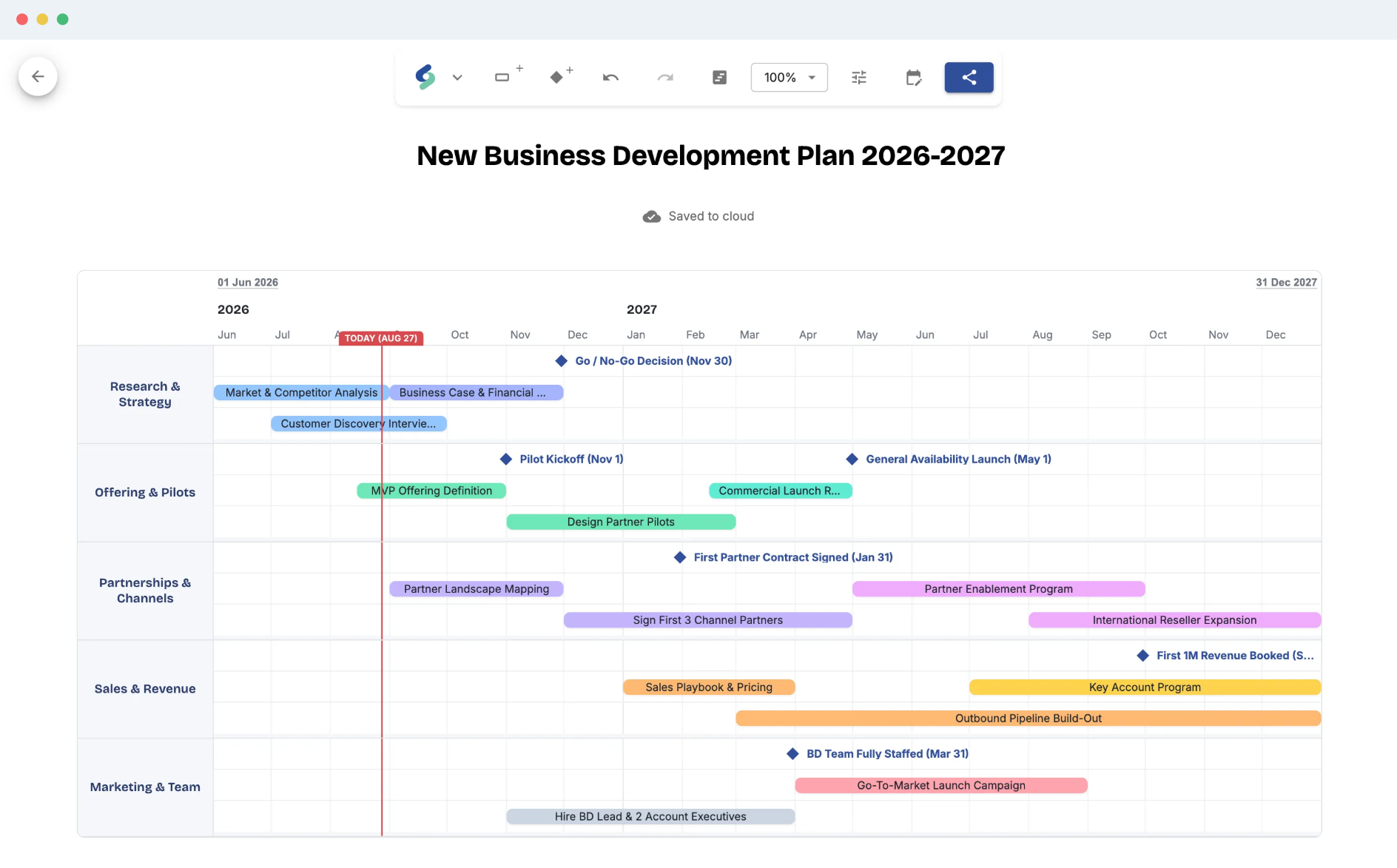
Shira roadmap editor showing a product roadmap timeline

Build beautiful roadmaps in the flow of work

Sound familiar?

You already know this feeling

Real words from people who used to build these slides by hand.

“Shira is an amazing little helper during stresful times. I was really working against the clock and had to create several roadmap scenarios. Doing that in a slide feels like defusing a bomb, but with Shira it's just lightning fast and super easy! I can't understand why nobody else did this years ago... Just creating a timeline in a slide takes me ages, and now it's just there, ready for work! I love it!”
Senior Solution Architect Telecommunications
“I literally had nervous breakdowns from rearranging the rectangles in my annual marketing plan slide... You know that moment when the slide is almost done, but you forgot one campaign, and you add it, and then the whole thing sorta explodes in your face? Well, not in Shira! OMG, it's a life saver, sooo easy to use, I wish I found about it sooner!”
Brand Manager FMCG Company

Eight reasons to build your roadmap in Shira

Everything between a blank grid and a roadmap your whole team can see — without a project management degree.

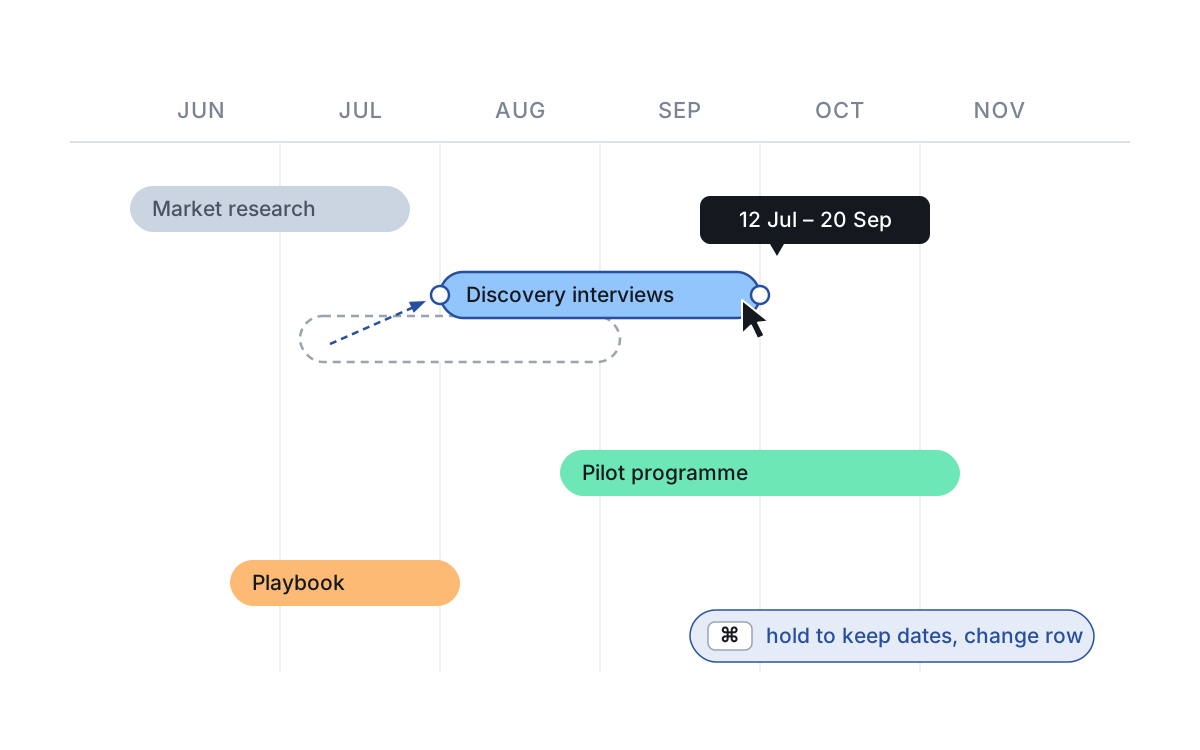
An activity bar being dragged across a roadmap grid, with a dashed outline at its original position and a live date tooltip
01 Direct-manipulation canvas

Drag it into shape

Build a roadmap the way you'd sketch one — no forms, no training.

Click anywhere on the grid to drop an activity. Drag it to move it, pull either edge to re-time it, drag it up or down to change rows. Every edit is undoable, so nothing is a commitment.
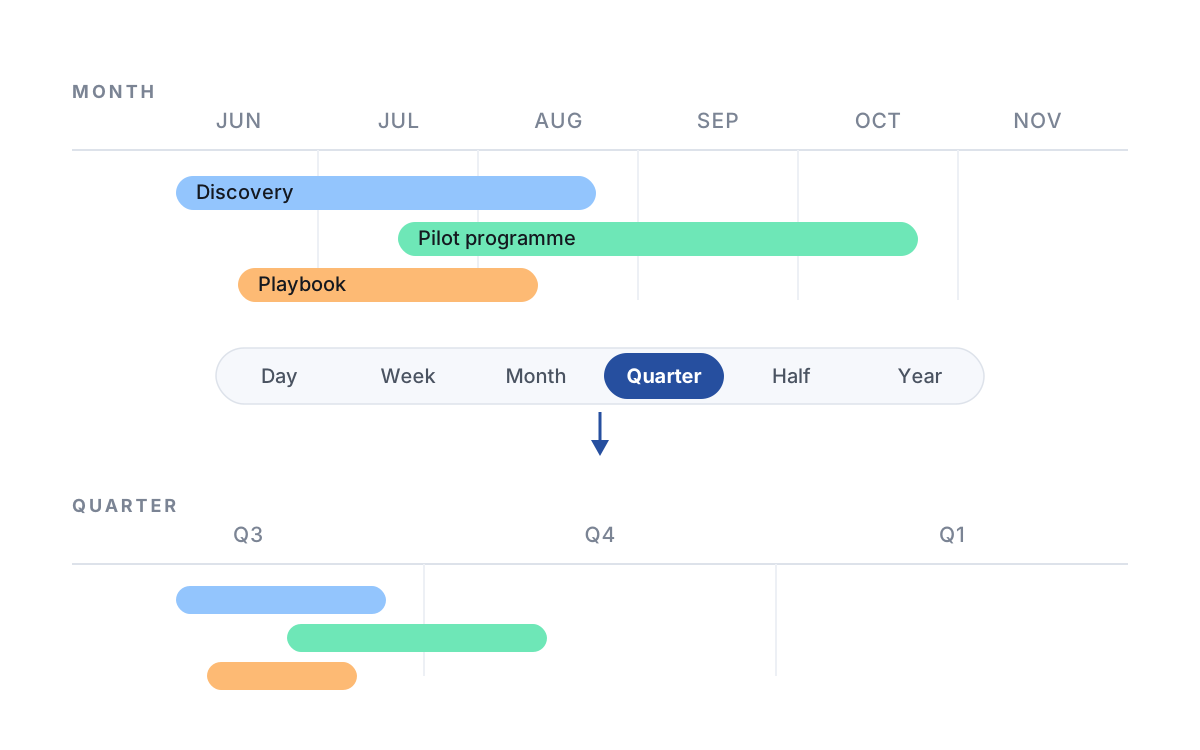
The same roadmap shown on a monthly grid and again on a quarterly grid, with a timescale switch between them
02 Timescale, zoom & density

One plan, every horizon

The same roadmap reads well as a six-week sprint plan or a three-year strategy.

Switch the timeline between day, week, month, quarter, half-year and year without touching the data. Zoom in for the detail, or tighten row density to fit a fifty-line plan on a single screen.

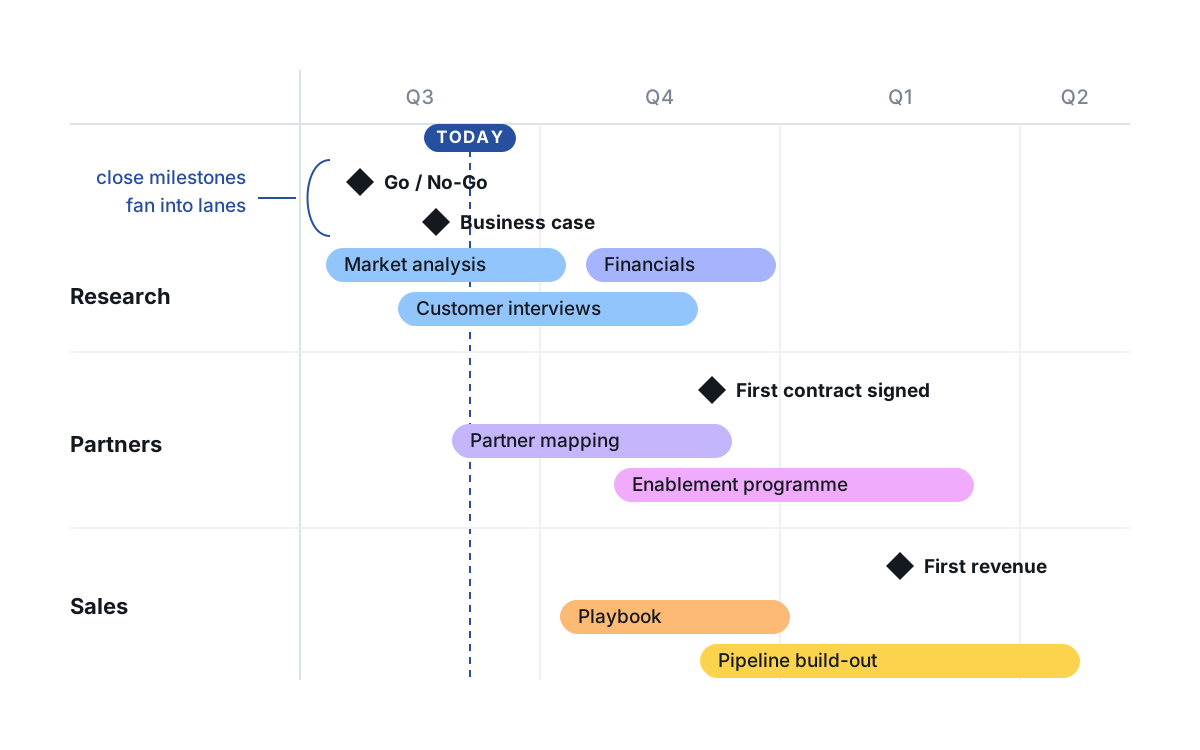
Three category rows with stacked activity bars and milestone diamonds fanned into separate lanes
03 Categories & milestones

Rows that organize themselves

Group work into swimlanes and mark the dates that matter — the layout keeps up.

Give each stream its own category row, stack parallel work inside it, and drop milestone diamonds on the decisions, launches and deadlines. Shira packs overlapping items onto free lines, so nothing ever lands on top of anything else.

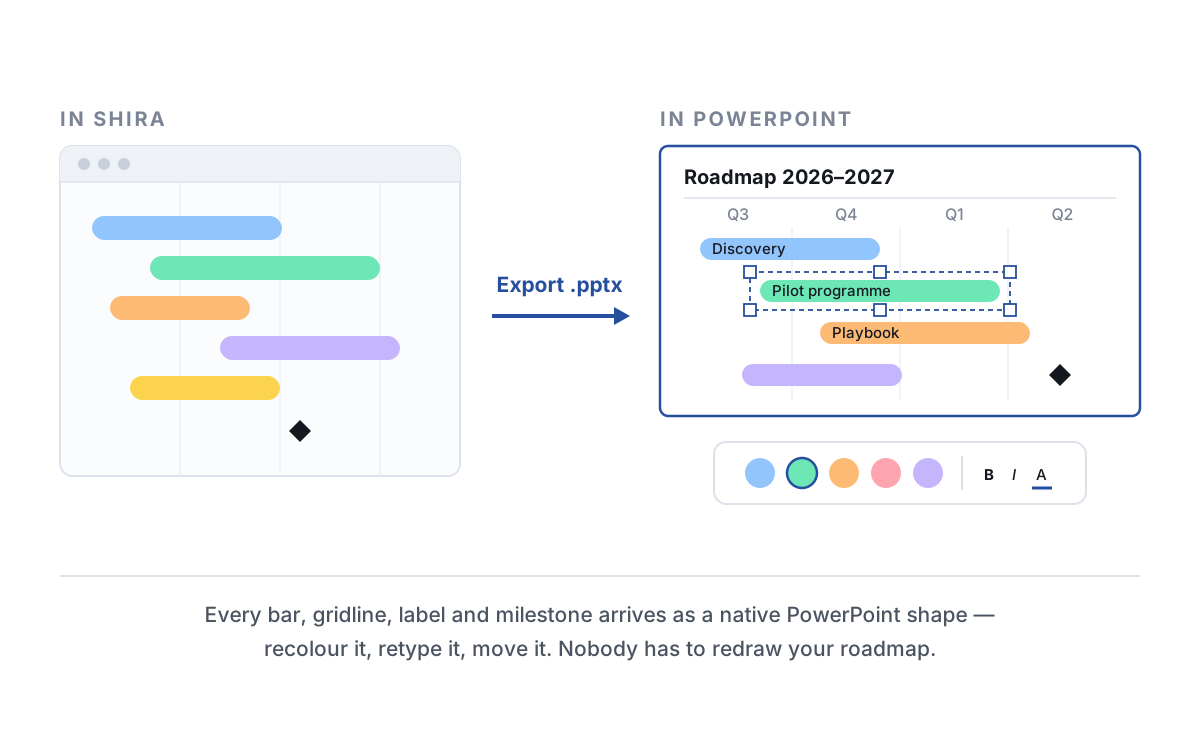
A roadmap in Shira exported into a PowerPoint slide, with one bar selected showing edit handles
04 PowerPoint & PNG export

Lands in your deck, still editable

Export to PowerPoint as real shapes — not a screenshot someone has to redraw.

One click produces a widescreen 16:9 slide where every bar, gridline, label and milestone is a native PowerPoint object your team can recolor, retype or nudge. Need a picture instead? Export a crisp PNG.

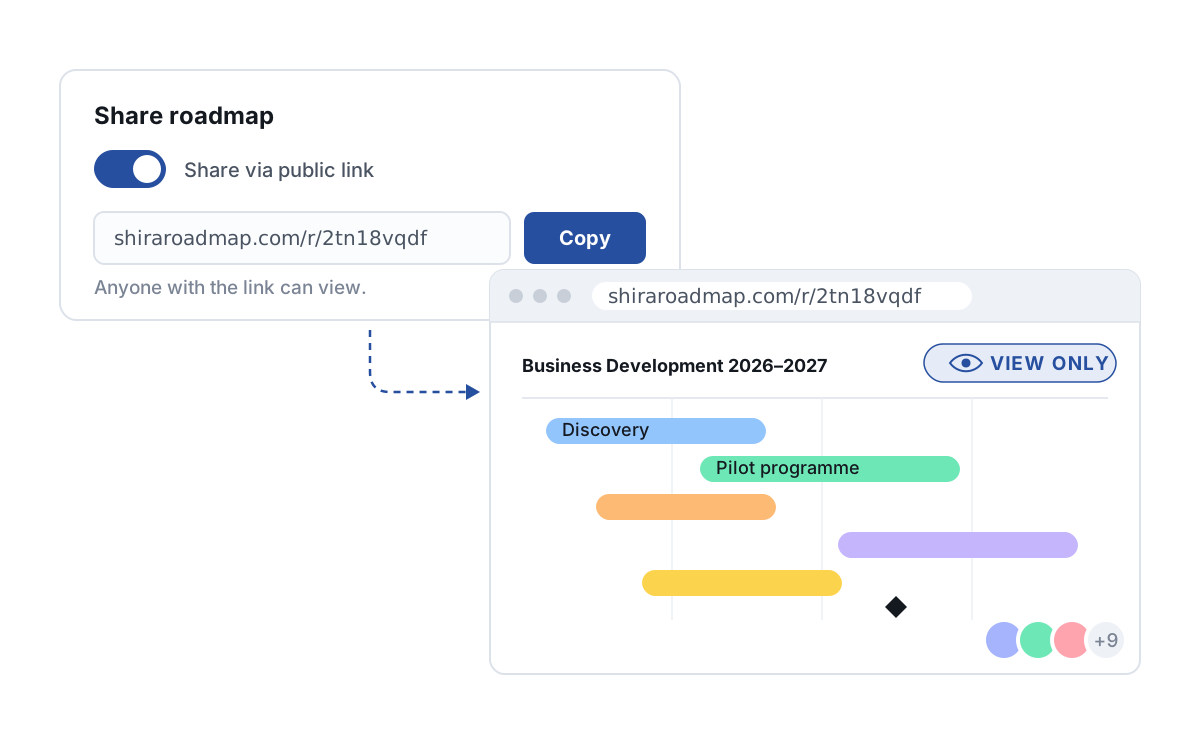
A share toggle switched on with a copyable link, next to a browser window showing a view-only roadmap
05 Read-only public link

Share a link, not a file

Publish a read-only roadmap anyone can open — no account, no attachment, no stale copy.

Flip sharing on and Shira gives you a link. Whoever opens it sees a clean, view-only page — no sign-up, nothing to install, nothing they can accidentally change. Keep editing and the link keeps showing your latest version.

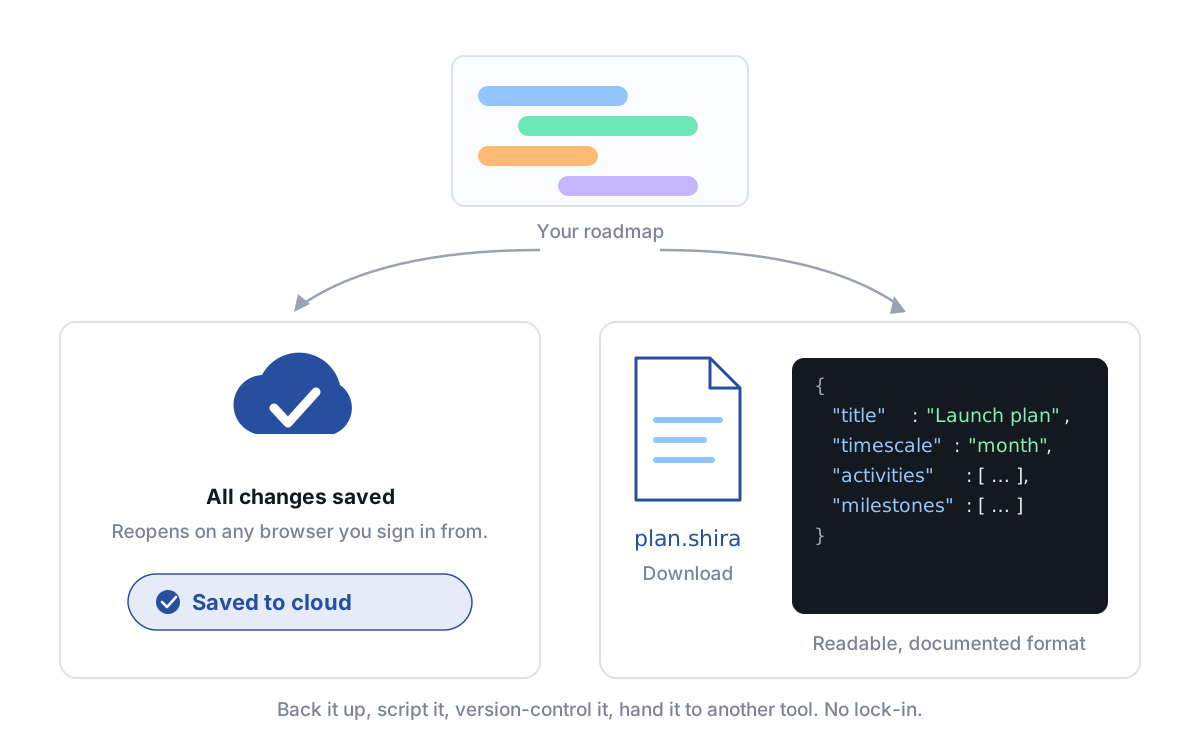
A saved-to-cloud indicator above a .shira file card and a preview of the readable JSON inside it
06 Cloud save & open format

Your plan, your file

Saved to the cloud, and downloadable as a plain open file you'll always be able to read.

Roadmaps save to your account and reopen from any browser. You can also download the whole plan as a .shira file — readable JSON in a documented, published format that can be backed up, versioned or generated by a script. No lock-in.

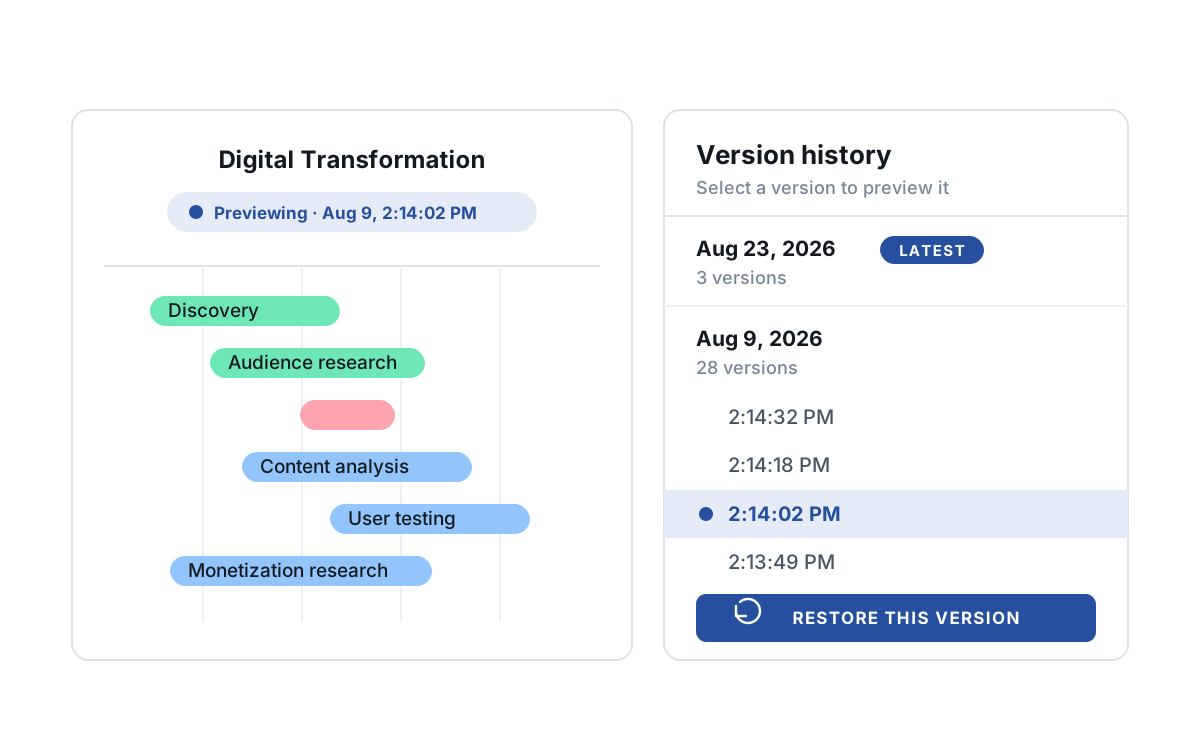
A roadmap preview next to a version history panel listing timestamped saves, with one selected and a restore button
07 Version history

Every save is a way back

Changed your mind after a replan? The last hundred saves are still there.

Every save to the cloud becomes a version of its own, timestamped to the second. Open version history, preview any of them on the canvas, then restore it over your roadmap — or extract it into a new one and keep both.

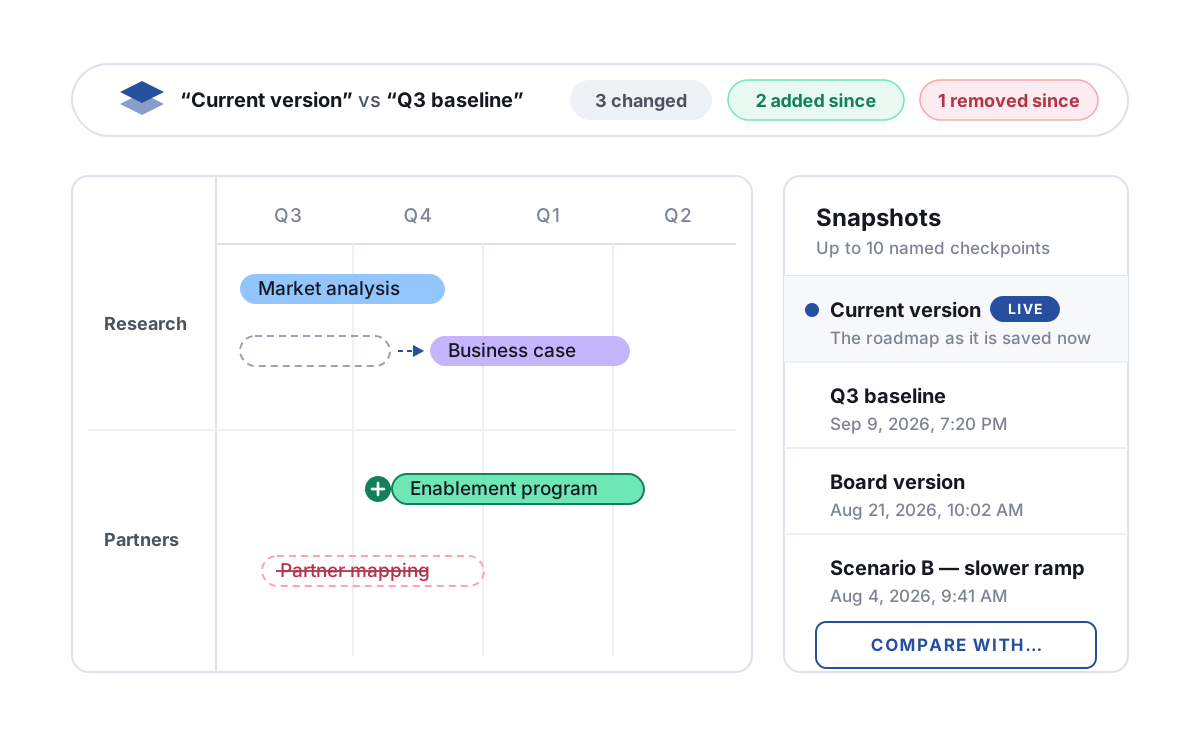
A compare bar counting what changed, was added and was removed since a named snapshot, above a roadmap and a list of saved snapshots
08 Snapshots & comparison

Snapshot it, then compare

Name a checkpoint before a replan, and see exactly what moved since.

Keep up to ten named snapshots per roadmap — a baseline, the version the steering committee saw, a slower-ramp scenario. Lay any of them under the current plan and Shira counts and draws what was added, changed and removed. Click a count to isolate just those items.

Who this is for

Built for the occasional roadmap-builder

You're not a product manager, and roadmapping isn't in your job description — it's the thing that lands on your desk every few weeks but has to look like you do this every day.

The board update that's due Thursday and you haven't touched since last quarter.

The campaign calendar every stakeholder wants to see in a different format.

The client timeline that has to make your firm look like it has it together.

  • Brand Managers
  • Solutions Architects & Consultants
  • Marketing Leads
  • Program Managers

Get it done before your coffee gets cold.

No design skills, no PowerPoint fighting - just click, drag, drop, and present.

Build your first roadmap
No Credit Card   •   Cancel Anytime