
Short answer: almost every “best roadmap software” list on the internet is written by and for professional product managers running a continuous backlog. If that’s not your job — if a roadmap is something you produce a handful of times a year, for a board meeting or a campaign plan or a client update — most of that advice doesn’t apply to you, and the tools it recommends are usually more capability, cost, and learning curve than the job requires. This list is for the actual majority of people who search this phrase and then bounce off every result.
Why Most “Best Roadmap Software” Lists Don’t Actually Apply to You
Open any of the popular comparison posts on this topic and the criteria give it away almost immediately: sprint velocity, backlog prioritization frameworks, engineering ticket sync, OKR alignment. Those are real, important things — for someone running product management as a full-time discipline. If your actual job is marketing, client services, operations, or program management, and a roadmap is one deliverable among many rather than the center of your role, none of that machinery is doing anything for you except adding a learning curve and a monthly invoice.
The tell is usually the pricing model. Tools built for continuous product management charge per seat, per month, on the assumption that someone is logging in daily. That’s a completely reasonable way to price a tool people live in. It’s a bad deal for a tool you open four or five times a year, which is the actual usage pattern for most people who end up searching for this list in the first place.
The Options Worth Actually Considering
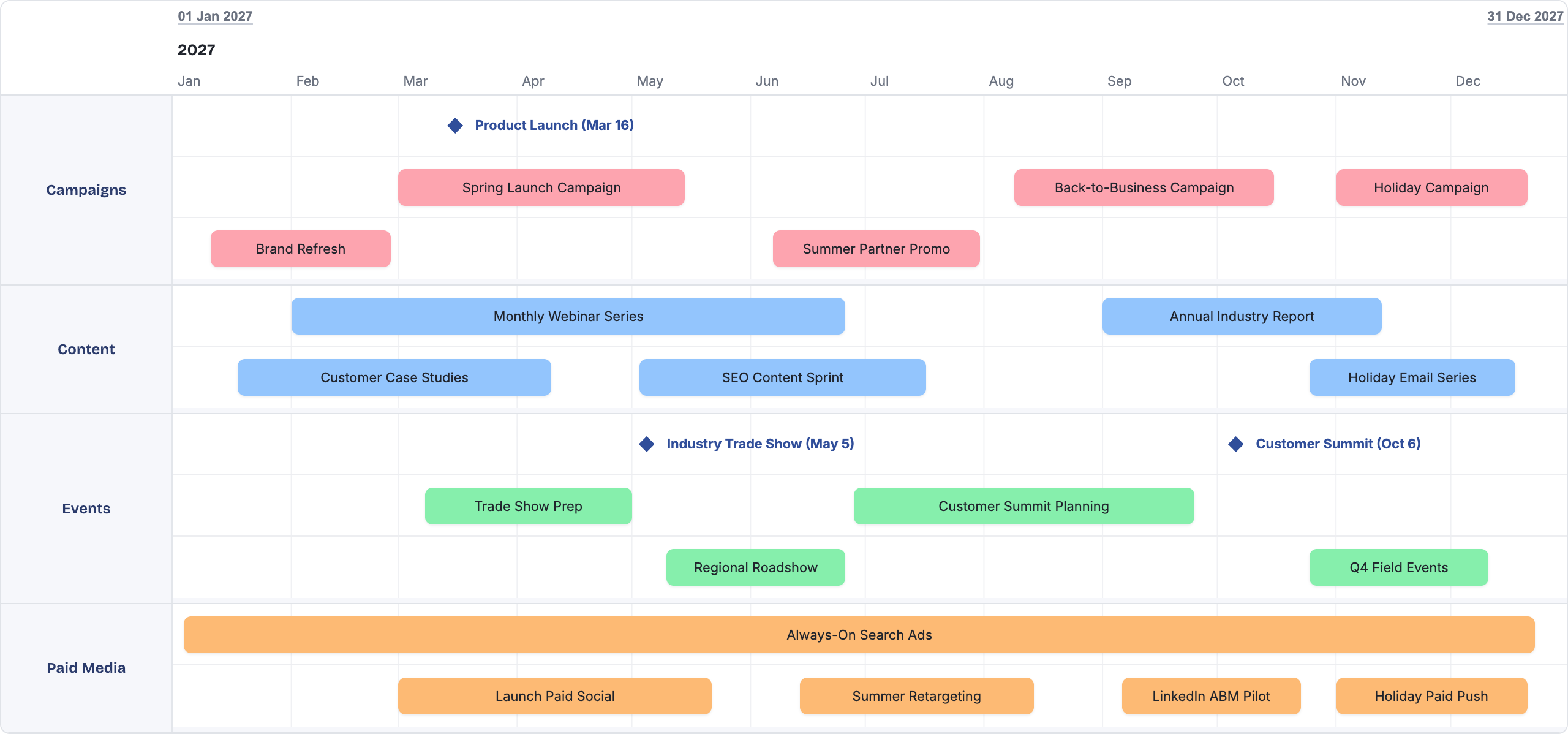
Shira — built specifically for this persona. Free to start, a drag-and-drop canvas rather than a form-driven interface, exports to real editable PowerPoint shapes rather than a flattened image, and named snapshots plus automatic version history for comparing plans over time. There’s no ticket integration and no backlog — it doesn’t try to be a product management suite, which is precisely the point if that’s not what you need.
Roadmunk (now part of Tempo) — the closest thing to a direct competitor on visual polish, and worth a look if presentation quality is your single top priority. Its most consistently cited weakness, across independent reviews, is a swimlane view that compresses everything into quarterly blocks even when the underlying plan actually needs weekly or monthly resolution to be useful.
SuperJane — a lightweight PowerPoint add-in rather than a standalone product, built specifically for creating polished timelines and Gantt charts without ever leaving the slide. It automatically matches your presentation’s existing colors and fonts, and everything stays local to the file rather than syncing to an external account. Good for a fast, good-looking timeline graphic; it doesn’t solve version control or live sharing, since underneath it’s still a regular PowerPoint file that behaves like one.
PowerPoint or Google Slides, honestly — still the right call for a genuine one-off that nobody will ever need to update. Total design freedom, zero setup, and everyone already has it. The moment that roadmap needs to survive a single change, the calculus shifts hard — see the full PowerPoint comparison for the specifics on exactly where that cost shows up.
What to Skip, and Why
Aha!, Jira, Productboard, and airfocus are all genuinely strong products — for a dedicated product team running continuous strategy and delivery. They’re priced and built around daily use, often $50–60 or more per user per month, with a learning curve that assumes real, ongoing time investment in a new workflow: understanding a data model, structuring projects correctly, learning a prioritization framework the tool wants you to use. For someone who opens a roadmap tool four or five times a year, that’s real cost and real setup time spent on capability that mostly goes unused between visits.
None of this is a knock on those products. It’s a mismatch between what they’re built for and what a large share of the people evaluating them actually need. A sports car isn’t a bad car because it’s a poor fit for a grocery run.
How to Actually Decide
Ask one honest question before anything else: how many times a year will this tool actually get opened? Under ten, favor something free or nearly free, with minimal setup, that produces a good-looking result on the first try. Daily or weekly, the calculus flips, and the continuous product management tools start earning their price and their learning curve. Most people searching this exact phrase are closer to the first group than they expect, because the search itself — “best roadmap software for marketing managers” — is usually a sign that the generic “best roadmap software” results already felt like the wrong shape.
FAQ
Do marketing managers actually need a dedicated product management tool?
Rarely. Most of what those tools solve — backlog grooming, sprint planning, engineering ticket sync — isn’t part of a marketing manager’s job. A lighter, communication-focused tool almost always fits better, and costs a fraction as much.
Is a free tool actually good enough for a board-facing roadmap?
Yes, if it’s built for that specific job. The output quality of a roadmap tool has little to do with its price — it has to do with whether the tool was designed to produce a polished, presentable result by default, which several free and low-cost options genuinely are.
What’s the biggest mistake people make choosing a roadmap tool?
Picking based on the richest feature list rather than actual usage frequency. A tool with more capability than you’ll use isn’t a safe, conservative choice — it’s wasted cost and wasted setup time for features that sit idle.
Is PowerPoint really a legitimate option on this list?
For a genuine one-off, yes, without qualification. It stops being the right answer the moment the roadmap needs to survive even one update, which is sooner than most people expect when they first build it.