
Release Notes
A completely new editor and PowerPoint export
Version: 1.2.8665dfe / August 27th 2026
A brand-new editing experience
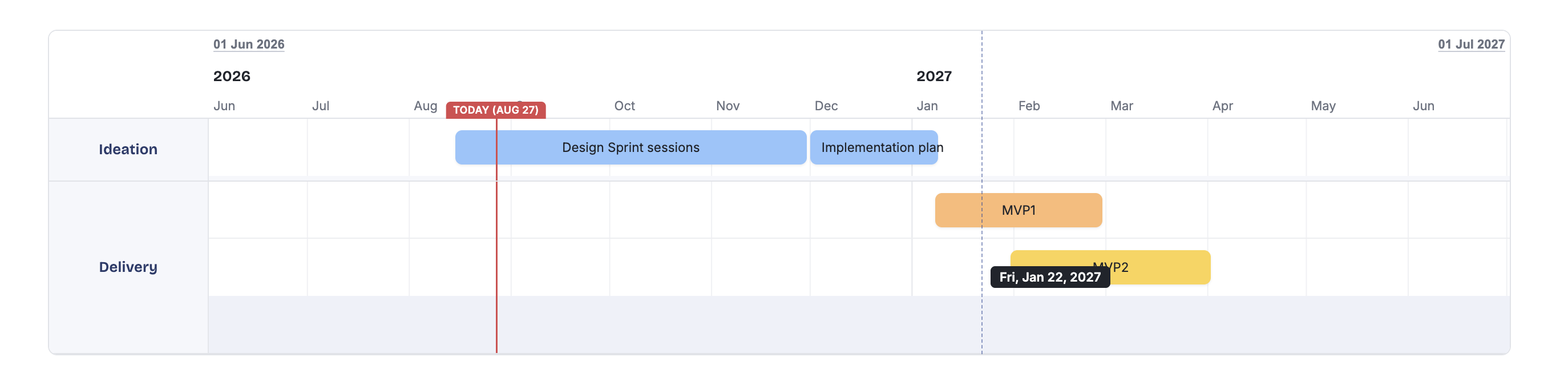
The new editor gives you much more freedom to build and adjust your roadmap directly on the canvas. Simply point, click, drag and move elements wherever you need them.
- Date indicator: Move your cursor around the roadmap canvas to see the corresponding date.
- Quickly add an activity: Click anywhere on the canvas to add an activity! No dialog boxes required.
- Add an activity to an existing row: Click an available space in a row to add an activity there.
- Add an activity to a new row: Hover below the final row in a category to expand it, then click to add an activity.
- Drag an activity from anywhere: Grab an activity anywhere on its surface to move it, there is no longer a dedicated drag handle.
- Move an activity to another row: Simply drag it to the desired row.
- Move an activity while preserving its dates: Hold Command on macOS or Control on Windows while dragging the activity to another row. Its dates will remain locked.
- Create a new category while moving an activity: Drag an activity towards the bottom of the roadmap, where a placeholder will appear for creating a new category.
- Prevent overlapping activities: Activities can no longer overlap. If an edit or duration change would cause an overlap, the layout will adjust automatically.
- Duplicate an activity: A duplicated activity will appear in the row directly below the original.
- Quickly add a milestone: Hold Alt and click a row to add a milestone without opening a dialog box.
- Add more milestones: If a category already has a milestone row, simply click it to add another milestone.
- Automatic milestone stacking: Milestones will not overlap. Additional rows are created automatically whenever they are needed.
- New options menu for activities and milestones: Hover over an activity or milestone to reveal the options button. You no longer need to right-click to open the contextual menu.
- Sticky timeline header: When scrolling through a roadmap that extends beyond the visible area, the timeline header remains fixed at the top.
- New activity color palette
- New design for the Today/Now label
- New canvas design for empty roadmaps
Export to PPTX (Beta)
Need a PowerPoint presentation of your current roadmap? Select Export to PPTX from the main menu.
The exported presentation is built using native PowerPoint shapes and objects, so you can continue editing it directly in PowerPoint. This feature is still in beta, so some elements may not yet be rendered perfectly.
More improvements and fixes
- Bug fix: Ensured consistent UTC formatting across components.
- Bug fix: Improved category management following changes to activities.
- Bug fix: Corrected toolbar positioning over roadmap elements.
- Bug fix: Improved the handling of long category names.
- Improvement: Introduced a new design for the switch component.
Milestones are here
Version: 1.1.441cdbe / April 18th 2026
Milestones as a part of your roadmap
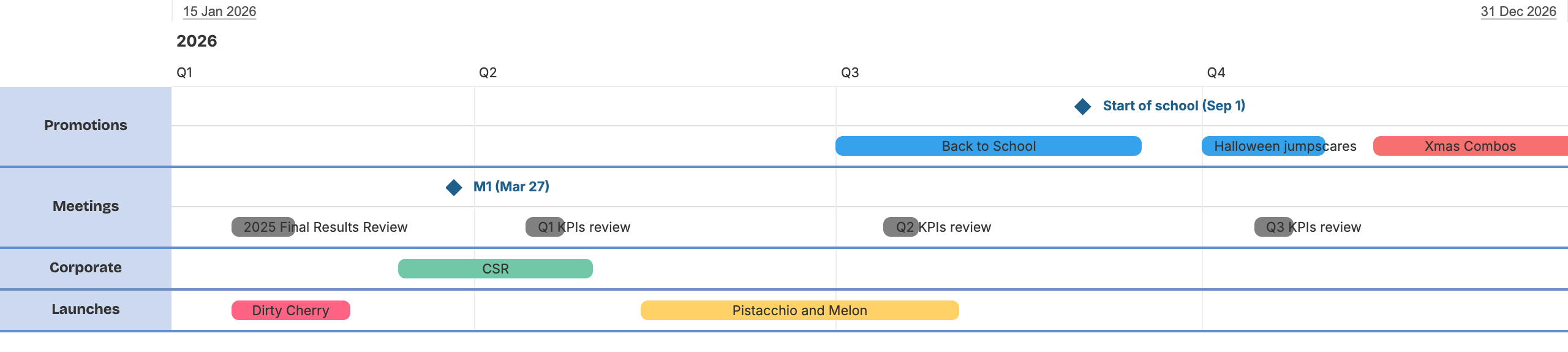
Beside activities you can add milestones to be part of roadmap.
Pro tip: Hold option / ALT while clicking on the roadmap to quickly add a milestone.
Redesigned toolbar and new formatting drawer

Toolbar is redesigned to be more compact and to make room for new features.
Beside Add activity button which is redesigned there is now Add milestone button. Format button now opens side drawer with formatting options for roadmap and activities instead of showing a dropdown menu.
- Improved: More details in Comfortable view (start and end dates with duration of activity)
- New: Start and end date shown in timeline header. Clicking on the dates allows quick change of a timeline
- Bugfix: Unsaved changes indicator position with title of roadmap
- Bugfix: Download PNG image generates full height image from roadmap
Cloud version with Auto-Save, Sharing and Undo/Redo
Version: 1.0.8f7ce82 / March 28th 2026
Shira cloud version
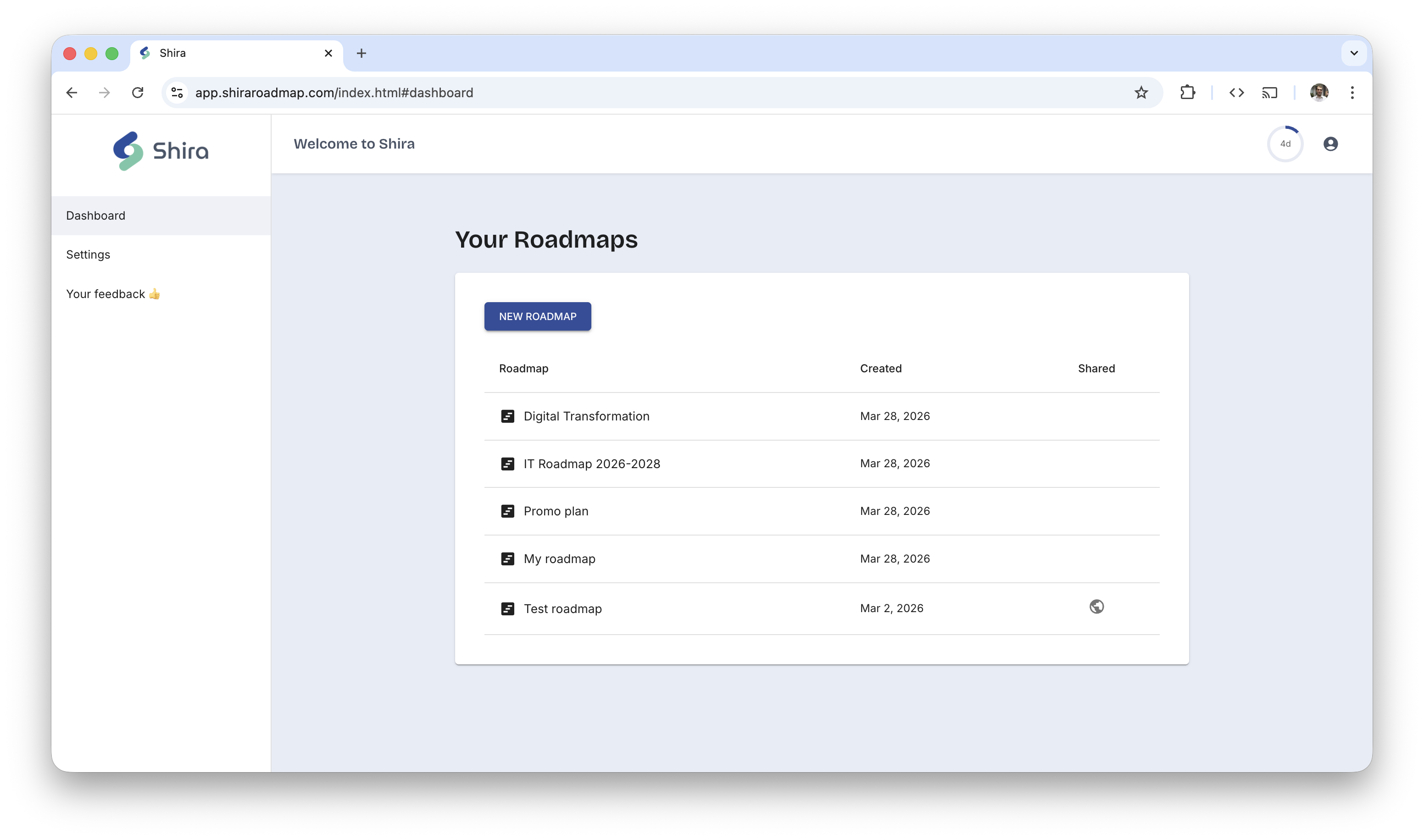
If you are tiered of saving your roadmaps to files and want to have access to them from anywhere, you can now use Shira cloud version.
It is available at app.shiraroadmap.com. You can create an account and start using its trial version for free.
Updated toolbar and Auto-Save
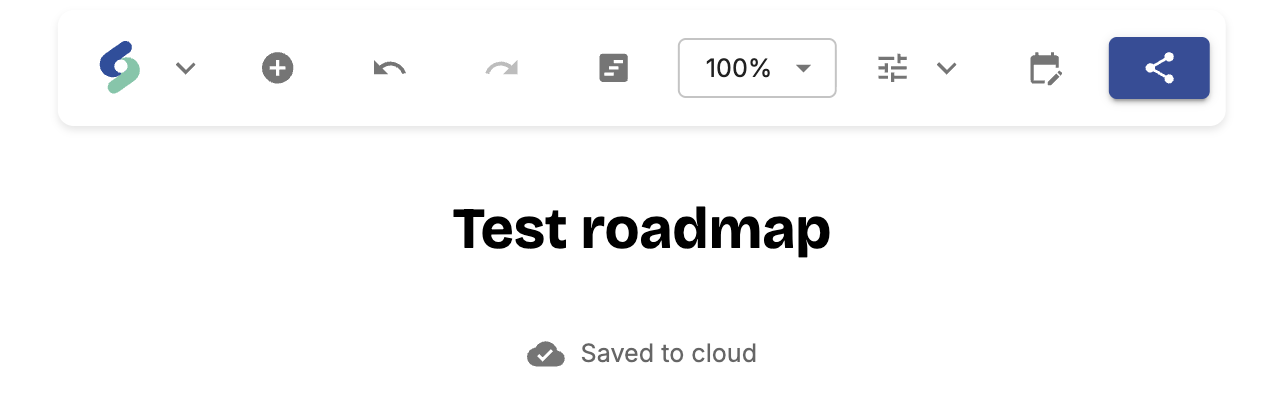
- New: All changes in cloud version are automatically saved
- New: UNDO / REDO is here to help you quickly revert or re-apply changes on your roadmap.
- New: SHARE your roadmaps with others by sharing the link.
- New: Rename category
- New: Demo starts with example roadmap instead of blank ones.
- New: Export as PNG moved to main menu from toolbar.
Reorder categories in roadmap
Version: 0.4.60312cf / November 28th 2025
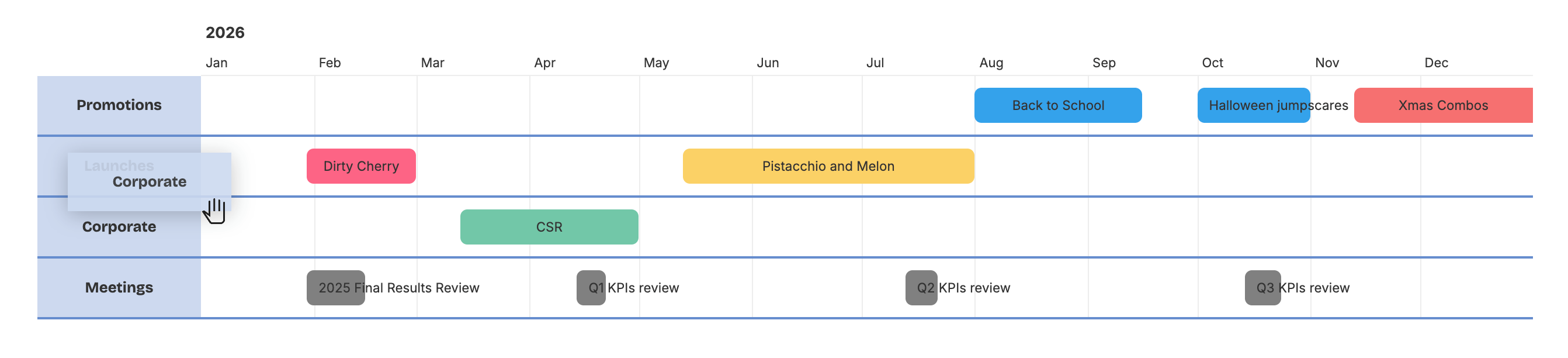
Click and drag category names in the left sidebar to reorder them.
- New: Reorder categories with mouse drag and drop.
- Improved: Start of week set to be Monday on all calendar pickers to follow ISO 8601 standard used for week numbers
Day and Week timescale for shorter timelines
Version: 0.3.ccce60f / November 20th 2025

For shorter timelines (up to 45 days) you can select Day timescale. Timlines with duration up to 100 days can use Week timescale. Week numbers are based on ISO 8601 standard.
- New: Show/hide categories.
- New: Today milestone (NOW) visibility can be configured.
- New: Shorter timelines are available (min 28 days).
- Improved: Moving and resizing of activities adjusted to support more precise control.
- Improved: More duration options in New Activity dialog supporting shorter timeline needs.
- Improved: Improved validation of
.shiradocument while loading. - Bugfix: Duration counts start day. (ie. activity that starts on 20th March and ends on 20th March counts as 1 day).
Roadmap activity contextual menu and Unsaved changes indicator
Version: 0.2 / November 2nd 2025
Roadmap activity contextual menu is there.
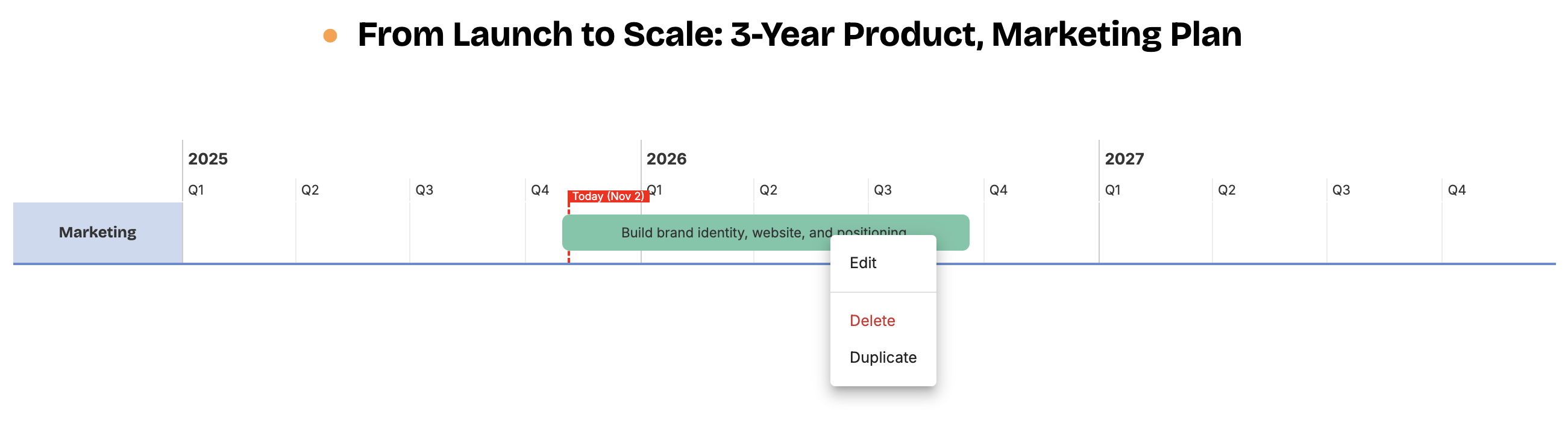
Right mouse click (secondary click on Mac) on a roadmap activity will popup menu that allows you to Edit, Delete or Duplicate.
- New: Contextual roadmap activity menu
- New: Unsaved changes indicator and warning if action will cause losing data
- New: Window title indicates the roadmap title
- Improved: Export to PNG starts image download instead of opening image in new tab
- Bugfix: Exporting to PNG of empty roadmap is not possible
Optimized resizing of activities
Version: 0.1.2 / October 4th 2025
Point your mouse over activity to see the resizing handles.

Use left handle to change start date and right handle to change end date.
Click on the top handle and drag to move the activity.
Colors are here
Version: 0.1.1 / September 30th 2025
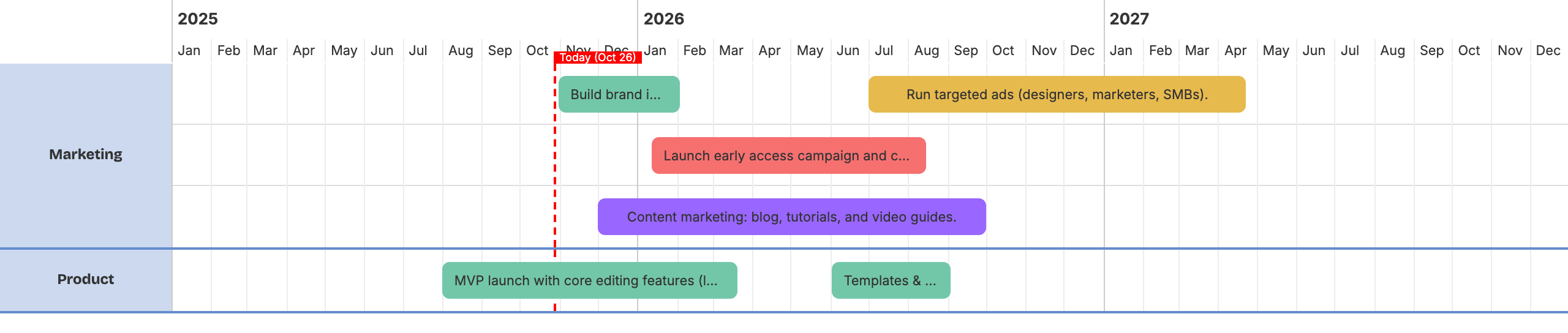
After initial launch, one of the most requested features is finally here: Custom Colors for Activities.
Shira roadmaps 0.1
Version: 0.1 / September 27th 2025
Shira is born. This is the first version. Everything is basic but working.
- Roadmap editor
- Customizable timeline
- Activity Categorization
- Auto-arrange
- Save to
.shirafile - Export to png image
Check out all features included in this version.